
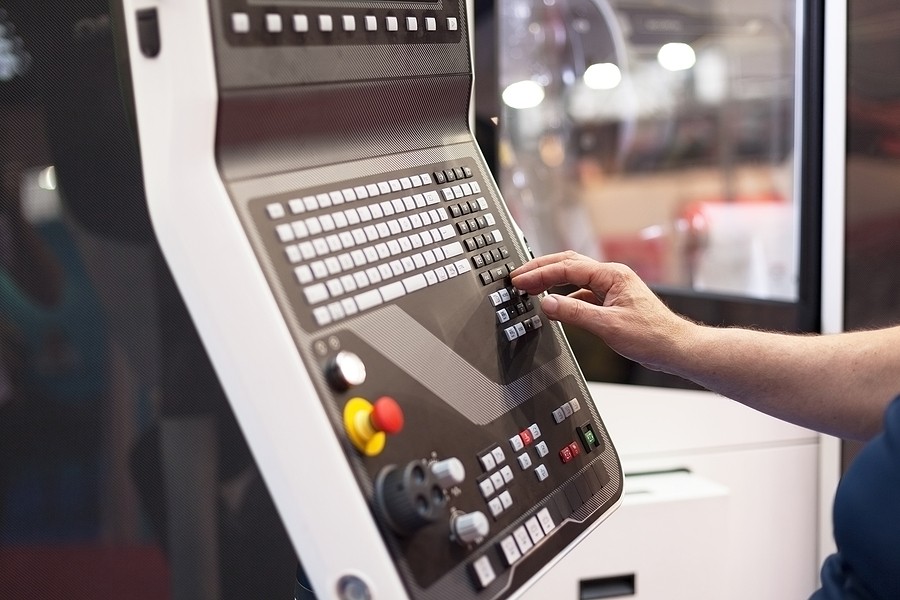
CNC machining has revolutionized manufacturing processes across numerous industries. CNC machining produces precise, repeatable parts with minimal human intervention. It achieves high manufacturing quality, high productivity, and high efficiency. CNC machining is versatile. It produces parts with tight tolerances in rapid turnaround times using sophisticated machines. A key element is the use of CAD files for CNC machining.
CNC Machining Applications
The applications of CNC machining include alternative energy equipment, telecom and data center equipment, aerospace and defense parts and components, construction components, transportation elements, and a wide range of research and development prototyping.
The primary driver of CNC machining is CAD files for CNC.
The CNC Machining Process Workflow
- Step one. Designers use CAD software to create a 2D vector or 3D model of the part to be manufactured. The model defines the geometry, dimensions, and features of the intended product.
- Step two. The CAD files for CNC are imported into Computer-Aided Manufacturing (CAM) software.
- Step three. The CAM software translates the CAD design into a series of instructions called G-code. It specifies the actions of the CNC machine, including the exact tool path that the machine will use on the material, which tool to use for a particular operation, the speed and feed rates, and coolant activation.
- Step four. The CNC machine reads the G-code and moves its motors to move the cutting tool. This produces the physical part from a raw material matching the CAD files for CNC use.
CAD Files for CNC
CAD software is a necessary component of CNC manufacturing. It translates the CAD model into a finished product. The combination of CAD/CAM software streamlines the process of designing, programming projects, and perfecting designs before creating the intended product. The CAD/CAM software automates various processes, including milling, turning, and 3D printing. CNC machining CAD requirements include determining tool selection, cutting speeds, cutting feeds, and cutting paths.
12 CNC CAD File Tips for Better Results
- Use the right software for your CNC production to streamline the CNC design process, employing the right CAD files for CNC production.
- Use standard tooling sizes.
- Use standard hole sizes when machining holes.
- Limit the maximum length of threads to three times the hole diameter.
- Increase the thickness of thin walls to reduce machining time.
- Limit the depth of cavities to four times their length.
- Add a radius in internal vertical edges.
- Don’t specify tolerances that are tighter than necessary.
- Minimize the number of machine setups.
- Consider the machinability of the material selected.
- Avoid multiple surface finishes.
- Take advantage of economies of scale.
Choose a Highly Regarded CNC Machining Company
Contact Components By Design, based in Charlotte, NC. Components By Design, Inc. has over 15 years of experience with CNC routers and CAD / CAM software and exists to help your complex projects become simple. We offer a complete range of CNC routing services. From simple parts to complicated 3D machining, we can take on any project to add value to your product. We are experienced in machining parts from panel material and solid wood, PVC extruded sheets, acrylics, aluminum, and solid surfaces. Our CNC solutions are well-suited for cabinetmakers, architectural woodworkers, building suppliers, signmakers, plastic fabricators, and more.